 Contact Us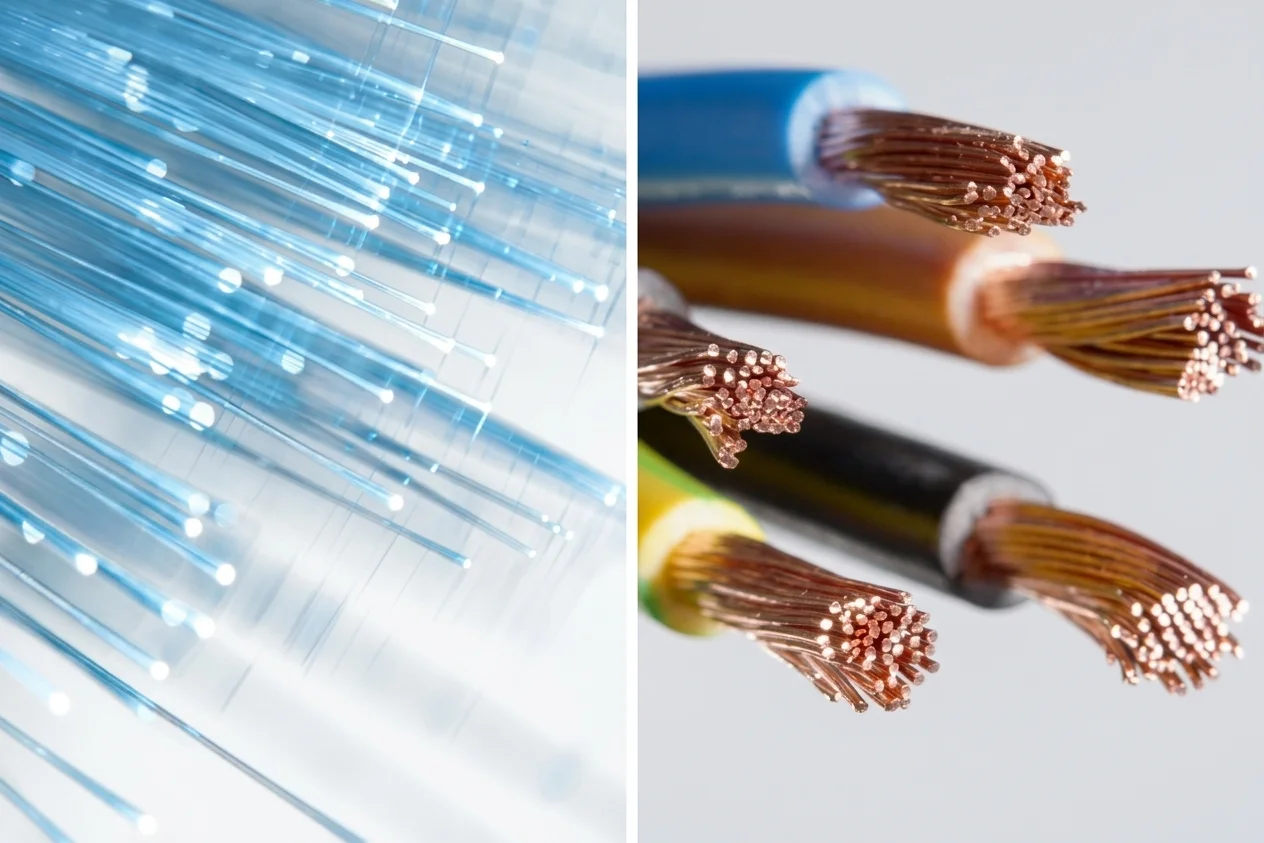
Your internet package does not always cause a slow internet connection. Sometimes, the cable that connects the devices within your network, like a router, switch, computer, camera, and server, can be the reason. Picking a network cable might seem challenging. There are many network cables such as Cat5e, Cat6, Cat6A, Cat7, Cat8, UTP, STP, coaxial, and fiber optic.
Now, what type of network cable will you need?
The choice of network cable depends on various factors like the speed of your network, the distance, environment, equipment, budget, and even future upgrades.
Related: https://gharhub.com/best-cables-in-pakistan
What Is a Network Cable and How Does It Work?
A network cable is a physical cable that carries data between network devices. It can connect computers, routers, switches, access points, IP cameras, servers, and other equipment.
Most modern wired networks use Ethernet over twisted-pair copper cables or fiber optic cables. The process can be explained simply as follows:
A machine generates digital data.
The networking hardware converts the data into signals.
The signal gets transmitted across the network cable.
The receiving machine converts the signal back to data.
Copper Ethernet cables use electrical signals. The fiber optic cable uses light signals. While coaxial cables make use of electrical signals, they have a different construction than that of copper Ethernet cables.
There are various Ethernet standards available for varying transmission rates and physical media. In addition to that, the IEEE 802.3 standard also includes Power over Ethernet cabling.
For Example
Think of a network cable as a road.
The data is the traffic.
The cable is the road.
A better road design can carry more traffic with fewer problems. But building the widest road does not always make sense. You need the right road for the amount of traffic, distance, and location. The same idea applies to network cables.
Types of Network Cables
For modern homes and offices, twisted pair Ethernet is usually the cable type people encounter most. Fiber becomes more important when the network needs longer distances or higher capacity.
The main network cable types include:
Coaxial Cable
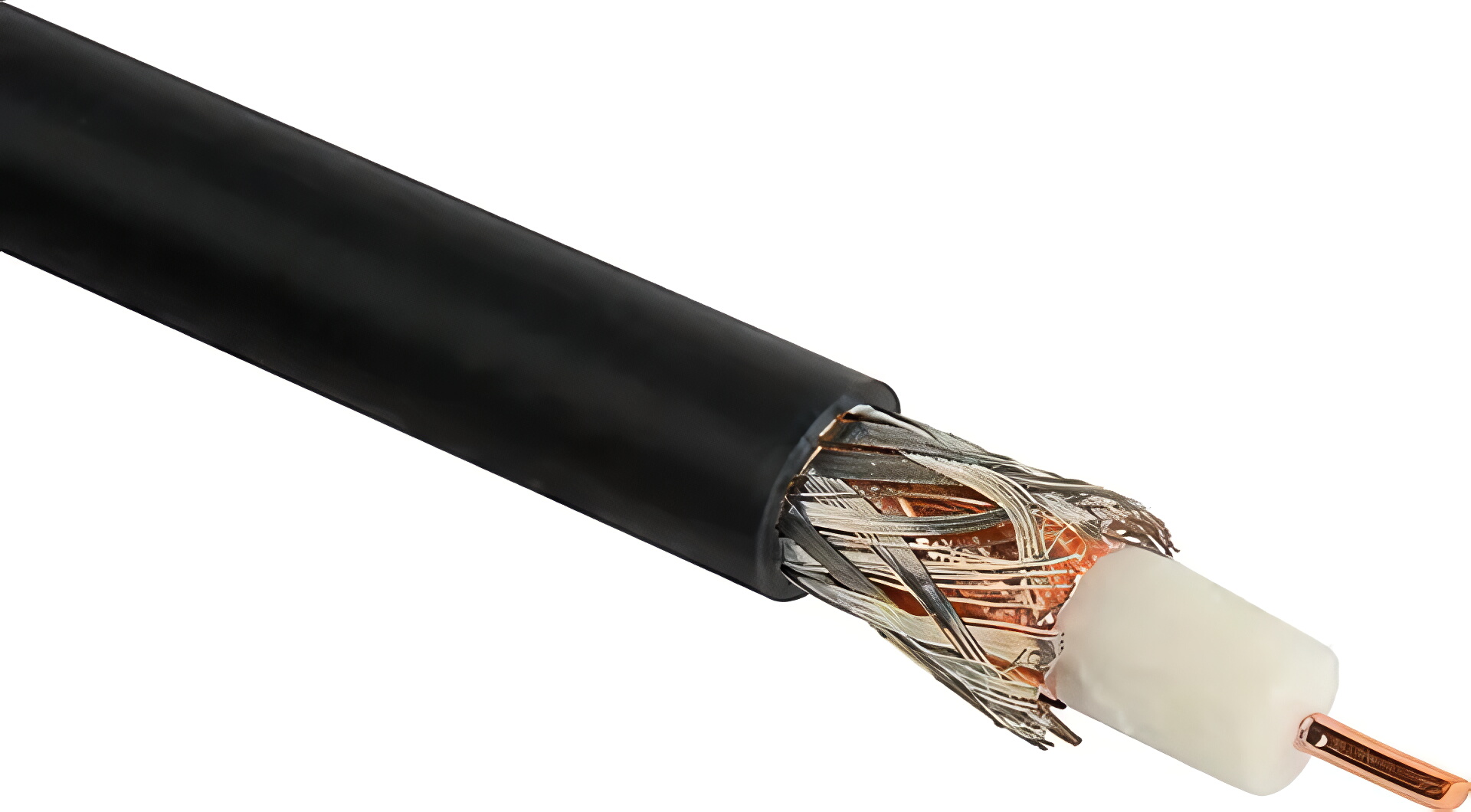
Coaxial cable has a central conductor surrounded by insulation, shielding, and an outer jacket. Its design helps protect the signal from external interference.
Coaxial cable was used extensively in early Ethernet networks. Today, it is less common for standard computer LAN connections, but it still has important applications in broadband, cable television, CCTV, and other communication systems.
Common uses include:
Cable TV connections
Broadband connections
CCTV and surveillance systems
RF communication
Specialized communication equipment
For a new office Ethernet network, twisted pair or fiber is usually more relevant. But for a broadband or video system designed around coaxial infrastructure, replacing it with another cable type may not be necessary.
Fiber Optic Cable
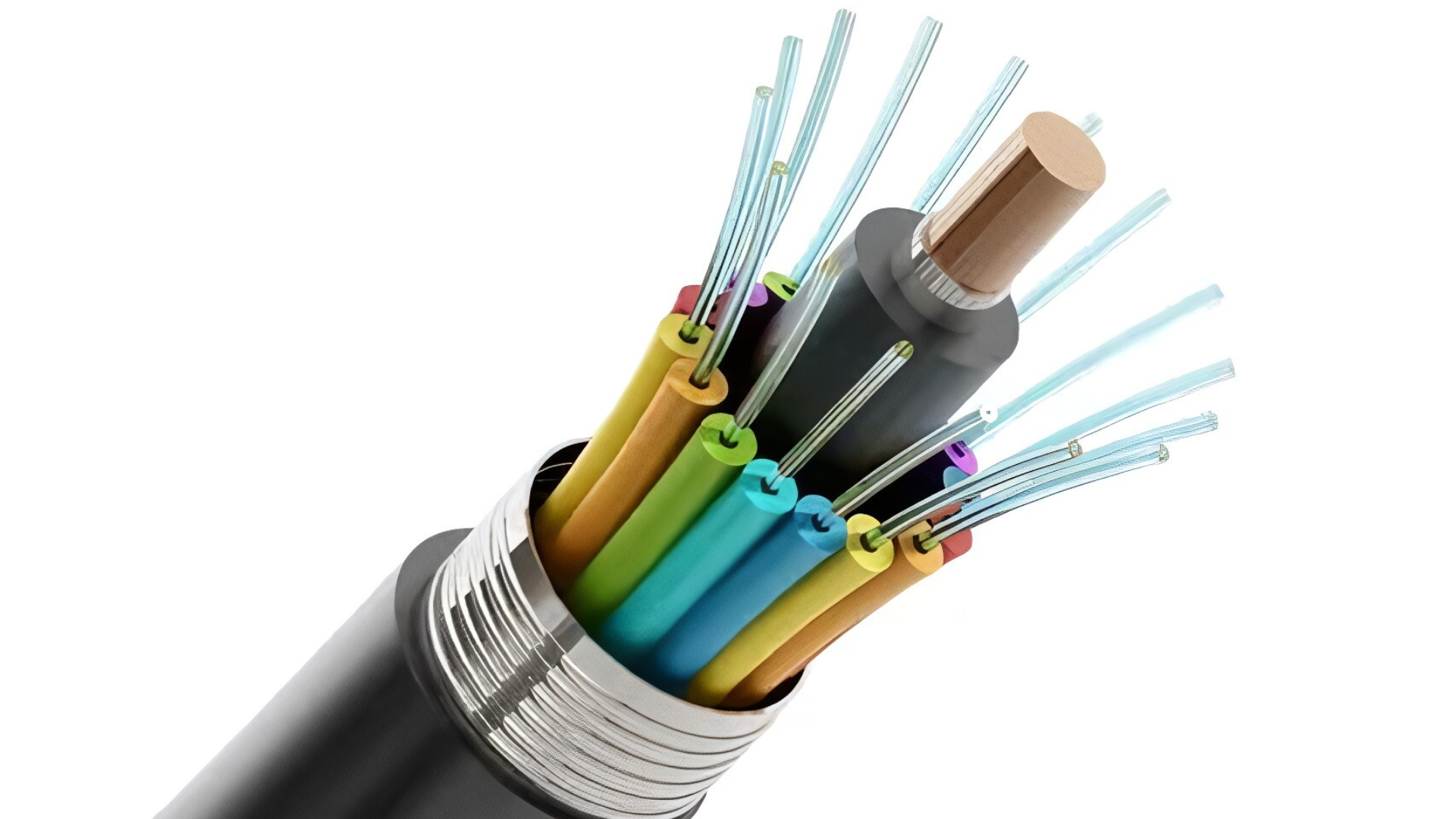
Fiber optic cable sends information through pulses of light.
Fiber has important advantages for long-distance and high-bandwidth applications. Single-mode fiber is commonly used for metro, access, and long-haul applications. Multimode fiber is more common for shorter links inside buildings and campuses.
Fiber is also not affected by electromagnetic interference in the same way as copper. This makes it useful in environments where electrical noise can create problems for copper connections.
Fiber is commonly used for:
Network backbones
Data centers
Campus networks
Telecommunications
Long-distance connections
High-speed links between network buildings
For example, OM3 and OM4 multimode fiber can support 10 GbE over hundreds of meters, while single-mode fiber is designed for much longer links.
Twisted Pair Cables
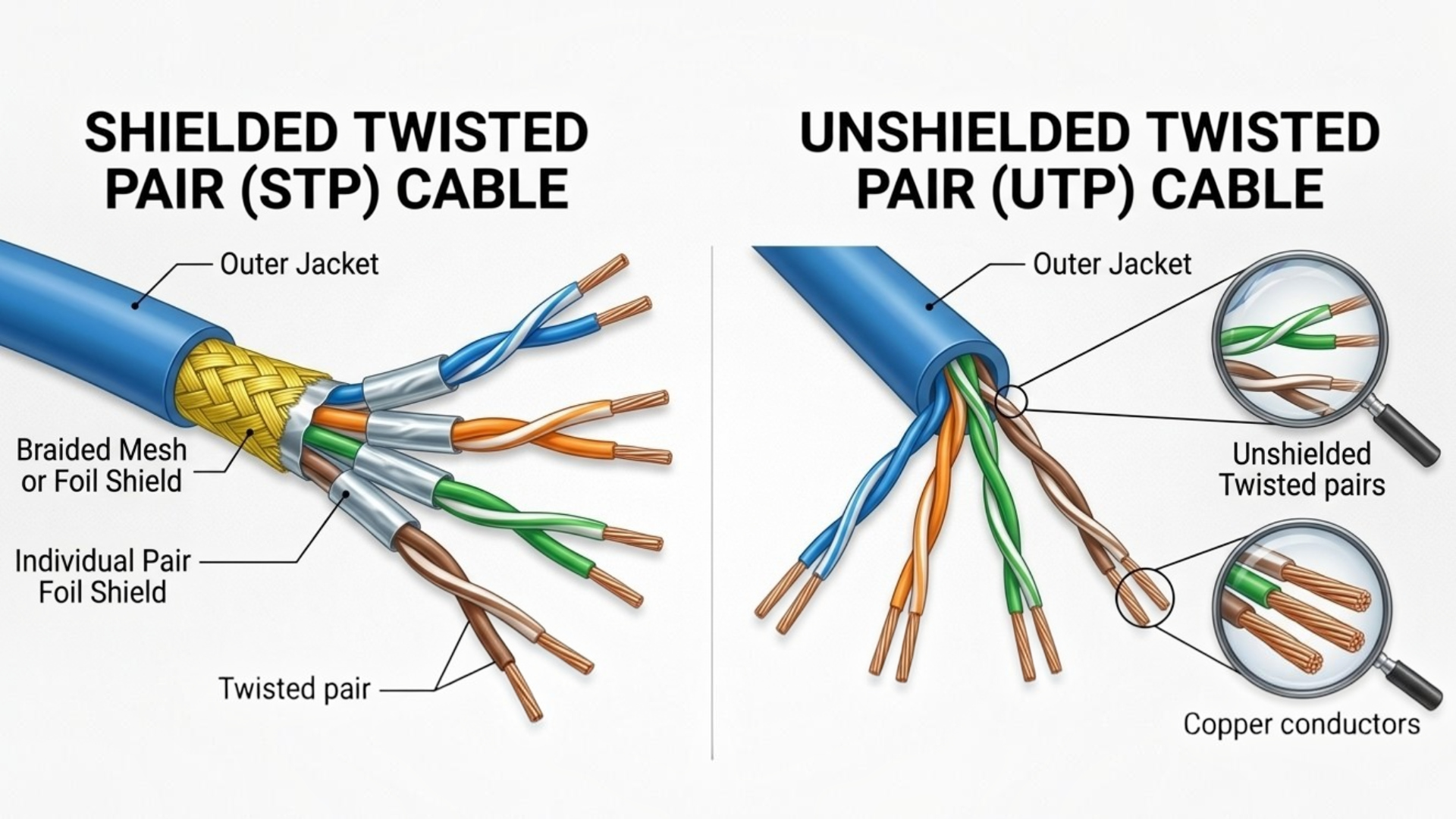
When people talk about Ethernet cables, they often mean twisted pair cables. The copper conductors are arranged in pairs and twisted together. This design helps control interference and crosstalk between the conductors.
Common categories include:
Category | Frequency | Typical Ethernet applications |
Cat5e | 100 MHz | Gigabit Ethernet and some higher speed applications |
Cat6 | 250 MHz | Gigabit Ethernet and selected higher speed links |
Cat6A | 500 MHz | 10 Gigabit Ethernet up to 100 m |
Cat7 | 600 MHz | High-performance structured cabling |
Cat8 | 2000 MHz | 25G and 40G data center applications over short channels |
The numbers in this table describe cabling characteristics, not guaranteed internet speed. Your router, switch, network interface, connectors, installation quality, and service all affect actual performance.
People Also Searched For: https://gharhub.com/electrical-wires-for-house-wiring
Shielded Twisted Pair (STP) Cable
Shielded twisted pair cable contains twisted copper pairs with an additional shield. The shield helps reduce the effect of electromagnetic interference and radio frequency interference.
STP can be useful in places such as:
Factories
Workshops
Data centers
Areas close to heavy electrical equipment
Locations with significant electromagnetic interference
However, shielding is not automatically better for every installation. A shielded system needs suitable components and proper installation. The grounding and bonding arrangement also matters.
Unshielded Twisted Pair (UTP) Cable
UTP cable does not have an additional metallic shield around the twisted pairs. It is widely used for Ethernet networks in homes, schools, offices, and commercial buildings.
UTP is popular because it is:
Easy to install
Widely supported
Available in many categories
Suitable for many standard Ethernet applications
The cable category matters more than simply choosing between UTP and STP.
Network Cable Bandwidth vs Speed: What Is the Difference?
A cable's bandwidth rating is usually expressed in megahertz (MHz), while network speed is expressed in megabits or gigabits per second (Mbps or Gbps).
In simple terms:
MHz describes the frequency range used to characterize the cabling.
Mbps/Gbps describes the data rate.
Cable type describes how the cable carries the signal.
Cable category describes the performance requirements of a particular copper twisted pair cable.
Suppose you see:
Cat6: 250 MHz
and
Cat6A: 500 MHz
It does not mean that Cat6A provides twice the internet speed. The MHz figure describes the cable's frequency performance. The actual network data rate depends on the Ethernet technology running over the cable.
The table below compares the main cable types used in networking.
Cable Type | Typical Speed Range | Bandwidth / Frequency | Distance | Speed Level |
Coaxial Cable | Varies widely by standard and application | Depends on cable and system | Usually shorter to moderate network links | Low to medium for traditional LAN use |
UTP | Up to 10 Gbps with suitable category and application | Depends on category | Commonly up to 100 m for structured Ethernet channels | Medium to very high |
STP | Up to 10 Gbps and beyond depending on category and standard | Depends on category | Commonly up to 100 m for suitable copper Ethernet channels | Medium to very high |
Multimode Fiber | 1 Gbps, 10 Gbps, 40 Gbps, 100 Gbps and higher depending on system | Not directly expressed like copper MHz ratings | Hundreds of meters depending on fiber and transceiver | Very high |
Single Mode Fiber | 1 Gbps to 100 Gbps and far beyond depending on equipment | Extremely high optical bandwidth | Kilometers and much longer depending on system | Very high |
Identifying Specific Uses for Different Network Cable Types
The best network cable depends on where you will use it, how far the connection must travel, and how much speed your network needs.
Use the table below as a quick guide.
Network Use | Recommended Cable | Why It Works |
Home networks | Cat5e, Cat6, or Cat6A | Suitable for common Ethernet connections and different network speeds |
Office networks | Cat6 or Cat6A | Supports business networks and higher speed requirements |
Data centers | Fiber optic or Cat8 | Fiber suits high speed and longer links, while Cat8 is designed for short high-speed connections |
High EMI areas | Shielded copper or fiber optic | Shielding can reduce interference, while fiber is not affected by electromagnetic interference. |
IP cameras | PoE compatible Cat5e, Cat6, or Cat6A | Can carry data and power to compatible cameras through one cable |
Wi Fi access points | PoE compatible Cat6 or Cat6A | Carries network data and power to compatible access points |
Long distance links | Fiber optic | Designed for much longer transmission distances than standard copper Ethernet |
10 Gb Ethernet | Cat6A or fiber optic | Cat6A supports 10 Gb Ethernet over suitable 100 m channels |
Factors to Consider While Choosing a Network Cable
Buying the highest category cable is not always the right approach. Instead, look at the complete network.
Ethernet Cable Requirements
A high-category cable cannot make a device support a speed that its network hardware does not support. Check the specifications of:
Routers
Switches
Network interface cards
Wireless access points
IP cameras
Servers
PoE devices
Compatibility
Your cable must work with the network equipment and connectors. Check the cable category, connector type, Ethernet standard, PoE requirements, and installation components before buying.
Cost
Price should be considered with the complete installation cost. A cheaper cable may cost more in the long run if it needs to be replaced during a network upgrade.
At the same time, buying a very high specification cable for a basic application may provide little practical benefit.
Network Speed
A basic Gigabit network has different requirements from a 10 GbE office backbone or a 25G data center connection. The IEEE 802.3 family covers Ethernet from low-speed applications through very high-speed systems, using different physical media and technologies.
Bandwidth
Cable frequency rating affects the transmission characteristics of the cabling. Do not confuse these numbers with your internet package speed.
Industry Standards
Look for cables and components that meet the relevant cabling standards. Standards help define the electrical, mechanical, and transmission characteristics that a network needs.
Scalability and Futureproofing
Think about what your network may need in the next few years. You may be installing a cable today but keeping it inside a wall or ceiling for a long time.
EMI
EMI means electromagnetic interference.
It can come from electrical equipment and other sources of electromagnetic energy. If your cable passes close to equipment that creates significant interference, cable construction becomes more important.
Shielded cabling can help in suitable installations. Fiber provides another option where electrical isolation is important.
Distance
Distance affects cable choice. For copper Ethernet, 100 m is an important reference point for many structured cabling applications. Fiber can support much longer distances.
Environment
A network cable installed inside an office has different requirements from one installed in a factory. The cable must be suitable for its actual installation environment.
Check the cable jacket and environmental rating when the cable will face:
High temperatures
Low temperatures
Moisture
Chemicals
Outdoor exposure
Industrial conditions
Physical protection matters too.
Think about:
Bending
Crushing
Pulling
Foot traffic
Sharp edges
Rodents
Outdoor exposure
Cable tray conditions
How to Choose the Right Network Cable?
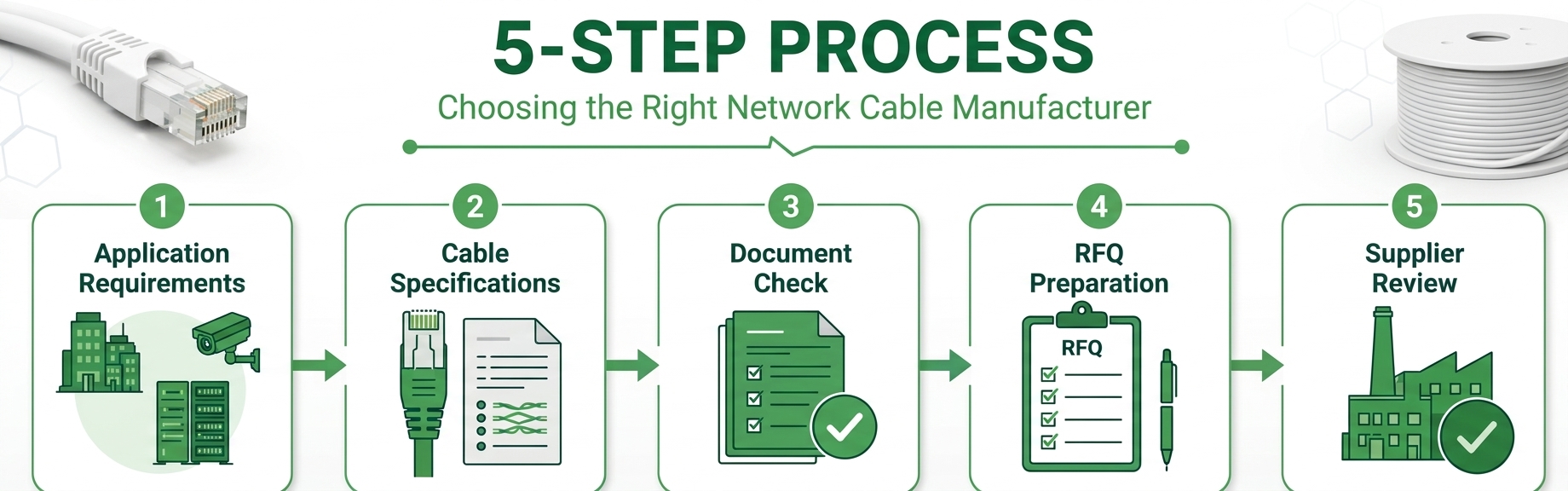
Use this simple process before buying.
Step 1: Check your network speed
Step 2: Measure the distance
Step 3: Choose copper or fiber
Step 4: Select the cable category
For:
Basic home network: Cat5e or Cat6
New home wiring: Cat6
10 Gb Ethernet: Cat6A or fiber
Standard office network: Cat6
Future-focused office installation: Cat6A
Short high-speed data center connection: Cat8
Long-distance connection: Fiber optic
High EMI environment: Shielded copper or fiber
IP cameras: PoE compatible Cat5e, Cat6, or Cat6A
Wi Fi access points: PoE-compatible Ethernet cable
Step 5: Check the environment
Step 6: Check PoE requirements
Step 7: Plan for future upgrades
The final choice should always match the network equipment, required speed, cable distance, installation environment, and future upgrade plans.
Conclusion
Selection of the network cable becomes easier if one stops considering the category of the cable alone. Consider your needs first. Determine the network speed, distance, bandwidth, equipment compatibility, PoE requirements, environment, interference, and the plan for expansion in the future.
If you require a short connection for the high speed application of data centers, you should go for the Cat8. It can provide speeds of 25G and 40G up to 30 m.
In case of longer distance requirements, use fiber optic cable. Before purchasing, compare the cable with your equipment and the requirements of the installation.
Frequently Asked Questions
What is the most commonly used network cable type for home and office networks?
Twisted-pair Ethernet cable is widely used for home and office wired networks. UTP is common because it is flexible, familiar, and available in several categories.
What is the difference between Cat6 and Cat6A?
Cat6 is rated to 250 MHz, while Cat6A is rated to 500 MHz. Cat6A is designed to support 10 Gigabit Ethernet over a 100 m channel.
How far can a network cable run before signal degrades?
For many copper Ethernet applications, 100 m is an important structured cabling limit. Fiber can run much farther.
Is Cat8 cable worth using for home networks?
Cat8 is designed mainly for high-speed, short-distance data center applications. It supports 25G and 40G applications over channels up to 30 m. For a normal home network, the network equipment may not support those speeds.
What is the difference between single-mode and multimode fiber optic cable?
Single-mode fiber has a small core and is designed for light traveling primarily along a single mode. It is commonly used for longer-distance applications. Multimode fiber has a larger core and allows multiple modes of light to travel through the fiber. It is commonly used for shorter building and campus connections.
Can I mix different cable categories within the same network?
Yes, different cable categories can exist in the same network. However, the performance of the complete link is affected by its components. For planned installations, keeping the permanent cabling system consistent can make testing, maintenance, and future upgrades easier.
What does PoE compatibility mean for network cables?
PoE means Power over Ethernet.
It allows compatible Ethernet equipment to send electrical power through network cabling along with data.
Is fiber optic cable replacing Ethernet in most networks?
Fiber is not simply replacing every copper Ethernet connection. Both technologies have different strengths. Copper remains useful for many device connections, office networks, and PoE applications. Fiber is particularly valuable for backbone, long-distance, and high-bandwidth connections.